
Fast Food POS System
Built for Dependable Checkout.
The right POS for fast food needing dependable checkout performance is a fast food POS system that rings up a combo in a few taps, sends each paid order straight to the kitchen screen, and keeps selling when the power or the internet drops. TimeWorks runs on a Microsoft SQL database in your shop that keeps working offline, with rental from R995 per month excluding VAT covering hardware, software and support.
What Is the Best POS for Fast Food Needing
Dependable Checkout Performance?
The best POS for fast food needing dependable checkout performance is a fast food POS system that rings up a combo in a few taps, prices every extra by itself, sends the order to the kitchen the moment it is paid, and keeps selling when the power or the internet drops. Speed at the till matters at lunch. Dependability matters every hour, because a counter that cannot take money cannot trade at all.
Takeaways are carrying South Africa's food service trade right now. Reporting the latest Statistics South Africa food and beverages survey, Food For Mzansi notes that in the second quarter of 2026 (April to June) takeaway and fast-food outlets grew by 8.3% at current prices and led the sector's growth. In real terms their income edged up 0.8%, while restaurants and coffee shops fell 1.9%. More customers at the counter means more pressure on checkout, and a slow or frozen till turns that demand into a queue that walks out.
Dependable checkout starts with the screen. Your combos and best sellers sit on the first page of a touchscreen POS terminal, and sides, drinks and sauces pop up as part of the meal with their own price, so nothing is given away by mistake. Each paid order goes straight to the kitchen display, so the cashier serves the next person instead of shouting the order through. Orders placed ahead through OrderWorks online ordering land in the same queue, not on a separate tablet.
Then there is the power and the line. Eskom ended winter 2025 with 26 hours of load shedding across four evenings, supplying electricity 97% of the time. That is a big improvement, but a takeaway still loses trade to a cable fault, a fibre outage or a tripped breaker. A till that needs the cloud for every sale stops when the line does. The biggest chains have drawn the same conclusion: in its December 2023 announcement with Google Cloud, McDonald's said it would put Google Distributed Cloud into thousands of its restaurants, bringing information storage and high powered computing into individual restaurants. TimeWorks does the same for an independent outlet. The sale, the stock count and the kitchen queue live on a Microsoft SQL database in your shop, and the till keeps working offline, syncing as soon as the internet is back. Card payments that need the network can wait or switch to cash until it returns.
Finally, rand pricing and South African compliance. VAT is levied at the standard rate of 15% by registered vendors, so your POS should print VAT-correct slips from day one. To sell food at all you need a Certificate of Acceptability under R638 of 2018 from your local authority. Rental lets you start without buying the hardware: monthly POS rental is from R995 per month excluding VAT with a terminal and printer included, and daily rental for a pop-up or festival stall is quoted on request. Support runs Mon-Fri 08:00-17:00 and Sat 09:00-13:00, with 24/7 critical support for existing customers.
| What a busy counter demands | Why it matters | What to check before you buy |
|---|---|---|
| Speed at the till | Takeaway and fast-food outlets grew 8.3% at current prices in Q2 2026 (Stats SA, via Food For Mzansi). More orders reach the same counter. | Can staff ring up your five best-selling combos from the first screen, with no submenus? |
| Priced extras | An unrung upsize or extra sauce is margin given away on every order. | Do sides, drinks and extras carry their own price and print on the kitchen ticket? |
| Kitchen routing | Shouted or handwritten orders get missed or made twice in a rush. | Does the order reach a kitchen screen the moment it is paid, in order of time? |
| Trading through an outage | Load shedding is rare now (26 hours in winter 2025, Eskom), but fibre and cable faults still happen. | Does the till keep selling with no internet, and catch up by itself when the line returns? |
| Local compliance | VAT is 15% (SARS) and food premises need a Certificate of Acceptability (R638 of 2018). | Does it print VAT-correct slips in rand, and is support local and on your hours? |
Running table service as well as a counter? See how the restaurant and dining POS handles tables and split bills, or how a coffee shop till keeps a morning queue moving. Pick your terminal, receipt printer and cash drawer from the POS hardware range, and compare the R350 and R500 per month plans on the TimeWorks software page.
Six Features That Define QSR Speed
Every feature exists to shorten the gap between order taken and order served.
Speed-Optimised Interface
Large touch targets, one-tap combo builders and a layout designed for gloves and rush-hour pressure, so a regular order takes a few taps.
Kitchen Display System
Orders route from till to KDS screen the moment they are paid. Colour-coded by elapsed time, bump-screen confirmations and per-station filtering eliminate docket chaos.
Digital Menu Boards
Push menu changes, price updates and promotional schedules from head office to every screen instantly. No print costs, no stale pricing, no store visits required.
Combo & Meal Deal Builder
Configurable meal deals with automatic upsell prompts at the point of sale. Staff are guided through modifier groups (size, extras, sauces) without memorising combinations.
Drive-Thru Integration
Dual-screen workflow separates order entry from payment collection. Headset integration keeps the lane moving and timing analytics identify bottlenecks in real time.
Multi-Store Reporting
A centralised dashboard consolidates performance across every outlet. Drill into per-store P&L, product mix, peak-hour traffic and franchise benchmarks from one screen.
Why TimeWorks for
Fast Food?
Volume, speed and uptime. The three non-negotiables of quick service, and the three things TimeWorks is engineered around.
Handles thousands of transactions a day, online or off
A Microsoft SQL Server database in your shop carries the lunch and dinner peaks across several tills, keeps selling when the internet drops, and syncs as soon as the connection is back.
KDS integration eliminates handwritten tickets
Orders appear on kitchen screens the moment they are placed. No paper, no shouting, no illegible handwriting. Just a clear, timed queue that staff can bump as each item is completed.
Digital menu boards sync from head office instantly
A price change or new promotion goes live across every screen at every store the moment you publish it. No phone calls to managers, no reprinting, no compliance delays.
Event POS rental for pop-up locations and festivals
Need a fully configured terminal for a market, stadium kiosk or seasonal pop-up? Event POS rental runs the same QSR-ready software with no long-term commitment required.
What Comes With It
WHAT YOU GET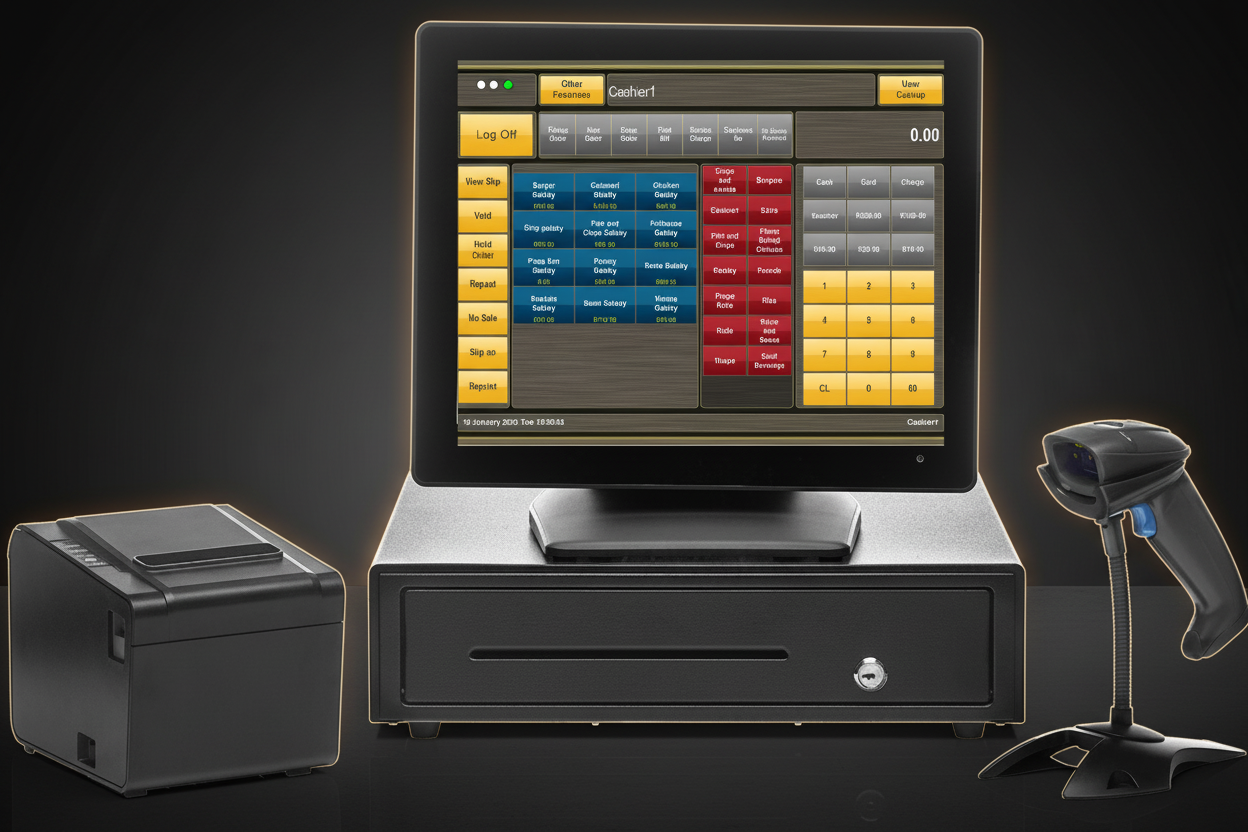
Fast Food POS: FAQ
The questions fast food and takeaway owners ask most, answered.
Speed Up Your Service
Talk to a TimeWorks specialist about deploying a QSR-ready POS at your outlet, or rent a fully configured terminal for your next event.