Coffee Shop POS
Built for the Rush.
The right POS for a coffee shop needing fast front-of-house, and for a high-volume café, is a coffee shop POS that puts your best-selling drinks one tap away, sends every order straight to a barista screen, and keeps trading when the power or the internet drops. TimeWorks runs on a local SQL database in your shop, with rental from R995 per month excluding VAT covering hardware, software and support.
What Is the Best POS for a Coffee Shop Needing
Fast Front-of-House, and for a High-Volume Café?
The best POS for a coffee shop needing fast front-of-house, and for a high-volume café, is a coffee shop POS that takes an order in as few taps as possible, prices every milk and shot change by itself, shows the order on a barista screen the moment it is paid, and keeps the till running when the power or the internet drops. Speed at the counter is only half of it. The other half is not losing a morning's trade to an outage or a missed charge.
Margins in South African coffee shops leave little room for a slow till. Quoting the latest Statistics South Africa food and beverage survey, FEDHASA reports that over the latest three-month period income at restaurants and coffee shops fell by 1.7% in real terms, the largest contributor to the industry's decline. The association adds that restaurants generally need annual revenue growth of 10% to 15% just to keep the same profitability. When turnover is flat, the extra customers you serve before 09:00 and the oat milk you remember to charge for are where the margin comes from.
Fast front-of-house comes from the layout, not from a faster card machine. Your top drinks sit on the first screen. Modifiers such as milk type, shot count and syrup pop up as part of the item and carry their own price. The order goes to the barista as it is paid, so the cashier can serve the next person instead of calling out a flat white. In a high-volume café, a handheld terminal lets a second person take orders down the queue on the same system, and OrderWorks online ordering lets regulars order ahead from their phones.
Then there is the power. Eskom closed winter 2025 with 26 hours of load shedding across four evenings, supplying electricity 97% of the time. That is a big improvement, but a café still loses trade to a cable fault or a fibre outage. A till that needs the cloud to ring up a sale stops when the line does. TimeWorks keeps the sale, the stock count and the barista queue on a local database in your shop, and card payments that need the network can wait or switch to cash until it is back.
Finally, rand pricing and South African compliance. VAT is charged at the standard rate of 15% by registered vendors, so your POS should print VAT-correct tax invoices from day one. To serve food or drink at all you need a Certificate of Acceptability under R638 of 2018 from your local authority, displayed on the premises. Rental lets you start without buying the hardware: monthly rental is from R995 per month excluding VAT with a terminal and printer included, and daily rental for a pop-up or market stall is quoted on request.
| What a busy café demands | Why it matters | What to check before you buy |
|---|---|---|
| Speed at the counter | Income at restaurants and coffee shops fell 1.7% in real terms over the latest three months (FEDHASA, quoting Stats SA). Every extra customer served counts. | Can staff ring up your five best sellers from the first screen, with no submenus? |
| Priced modifiers | An unrung oat milk or extra shot is margin given away on every order. | Do milk, shot and syrup changes carry their own price and print on the barista ticket? |
| Barista display | Called-out orders get missed or made twice when the queue reaches the door. | Does the order appear on a screen at the machine the moment it is paid, in order of time? |
| Trading through an outage | Load shedding is rare now (26 hours in winter 2025, Eskom), but fibre and cable faults still happen. | Does the till keep selling with no internet, and catch up by itself when the line returns? |
| Local compliance | VAT is 15% (SARS) and food premises need a Certificate of Acceptability (R638 of 2018). | Does it print VAT-correct invoices in rand, and is support local and on your hours? |
Selling pastries and cakes alongside the coffee? The bakery POS setup covers display counters and baked goods. If you also run table service, see how the restaurant and dining POS handles tables and split bills, and pick the terminal, printer and cash drawer from our POS hardware range.
What Makes a
Coffee POS "High-Volume"?
Standard retail POS systems often fail in a specialty coffee setting because they aren't optimized for the unique rhythm of coffee service. A true high-volume system must excel in three areas: Velocity, Customization, and Resilience.
Quick-Serve Item Layout
Configurable touch-screen button layouts place your most popular drinks and food items one tap from the transaction screen. No navigating through submenus during the morning rush. Group espresso-based drinks, filter coffees, cold beverages, and food separately so staff can build a typical order in a few taps, reducing queue time per customer and increasing throughput during peak hours.
Barista Queue Display
Orders appear on a barista-facing display the moment the cashier confirms the transaction, with the customer's name and drink specifications clearly visible. The queue display prioritises by order time, flags customisations like oat milk or extra shots, and allows the barista to mark drinks as ready without leaving the machine. Eliminates shouting across the counter and the double-order confusion that costs you regulars.
Loyalty Stamp Cards
Digital punch-card loyalty programmes replace paper stamp cards that get lost and are impossible to report on. Set a buy-nine-get-one-free threshold, birthday drink rewards, or spend-based points at any level. Customers link via phone number at the till, and the POS displays their current stamp count at every transaction, prompting them towards their next reward without staff having to remember or ask.
Milk and Modifier Customisation
Full milk type selection, temperature preferences, shot count, and flavour syrup modifiers are built into the item ordering flow. Each modifier can carry a price increment that applies automatically to the transaction. This ensures consistent upsell capture without relying on a barista to remember to charge for oat milk or the extra shot every single time.
Fast Payment Processing
Accept tap-to-pay, card swipe, cash, and QR-based payments at the till in seconds. The POS is configured to default to the most common tender type for your shop, reducing the number of confirmation steps per transaction. During the office rush between 07:30 and 09:00, every second saved at payment is another customer through the door.
Daily and Shift Sales Reports
End-of-day and per-shift reports show total covers, average transaction value, best-selling drinks, food attach rate, and payment type breakdown. Identify whether your pastry upsell is working, whether the Wednesday afternoon slow period can be addressed with a happy-hour promotion, and whether your busiest barista shift is appropriately staffed.
Engineered for
the South African Reality
Operating a café in Johannesburg, Durban, Cape Town or the Winelands comes with the same challenges, most notably power instability and connectivity issues. A cloud-only POS is a liability when the signal drops or during load shedding transitions.
Fewer Taps per Order
One-tap item selection and tap-to-pay mean a coffee-and-muffin order takes a few taps, not a hunt through menus, turning your morning queue into a revenue stream rather than a reason for customers to walk across the road.
Regular Customer Retention
Built-in digital loyalty programmes increase return visit frequency without any third-party app subscription. Regulars are recognised at the till by phone number and rewarded automatically.
Operates Through Load Shedding
Local SQL processing means the POS and barista display keep operating when the power or the internet drops. A UPS-backed setup keeps your queue moving when the rest of the block goes dark. Eskom recorded only 26 hours of load shedding in winter 2025, but the outage you do not plan for is the one that costs the morning rush.
Rental Options Available
No large capital outlay required. Rental packages include hardware, software, setup, and ongoing support, ideal for businesses managing cashflow through growth phases.
Types of Coffee POS Configurations
Every coffee shop has a different workflow. Choosing the right "hardware-to-software" ratio is essential for front-of-house efficiency.
Orders on a screen, not a printer
For high-volume cafés, we recommend a kitchen display system (KDS). Instead of paper tickets, orders appear on a digital screen for the baristas, showing "time-since-order" to help manage beverage output speeds.
A second till you can carry
A handheld terminal lets someone start taking orders halfway down the queue while the counter keeps serving. It writes to the same system as the main till, so your sales and your stock still agree at cash-up.
Menus that change with the day
Menu screens that update from the till switch from breakfast to lunch on a schedule you set once. A price change reaches every screen at the same moment, and nobody stands at a printer during service.
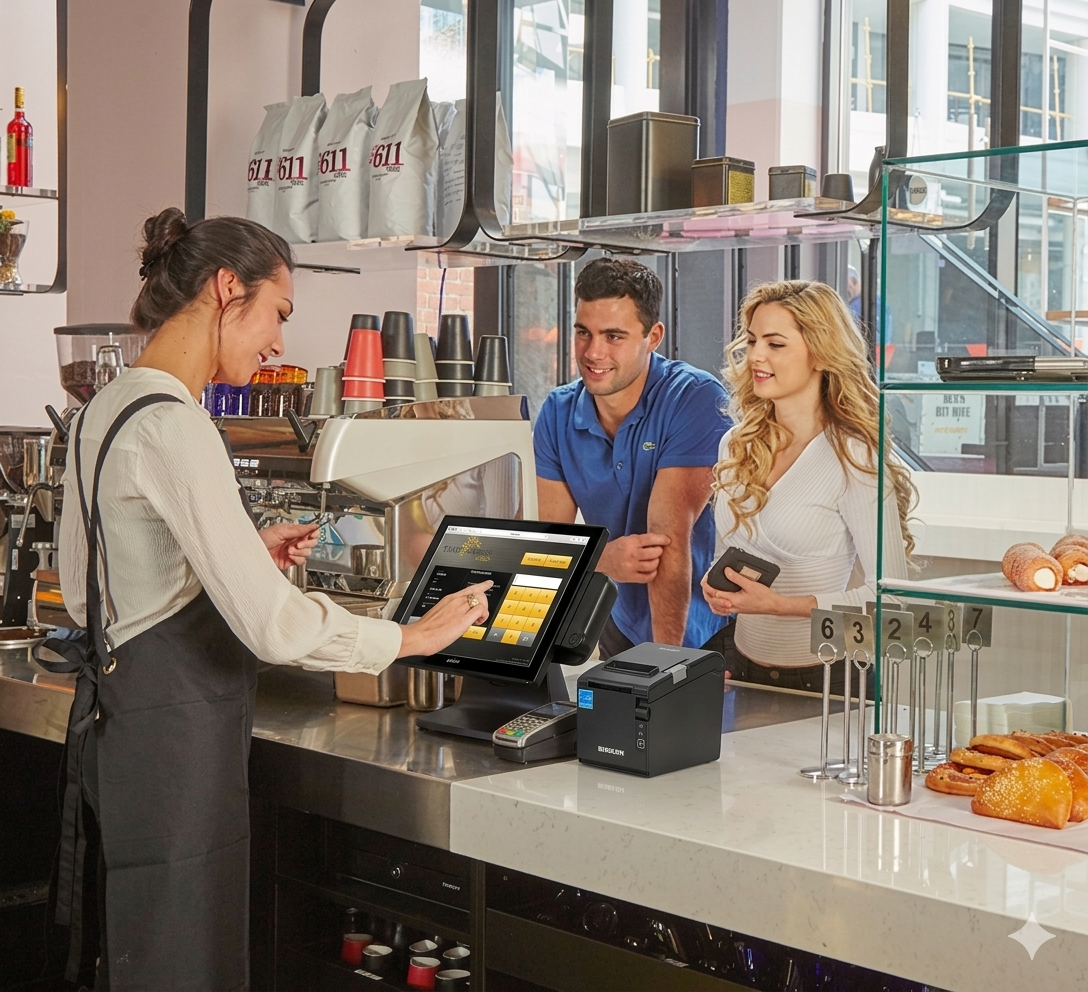
For a small-footprint espresso bar, one touchscreen workstation with a fast thermal printer and integrated card payments is enough. The fast-food and QSR POS page shows the same counter-service setup at a bigger scale.
Common Questions
The questions coffee shop owners ask most, answered.
Ready to Speed Up
Your Front-of-House?
Don't let a slow POS be the bottleneck in your business. Join over 700 South African operators who trust Timeworks for operational confidence.